Early Access

SoloStaff Meeting Secretary

AI-Powered Meeting Automation for Microsoft 365

Automate your entire meeting lifecycle. From agenda collection to AI-generated minutes, Teams meeting creation to email distribution - your AI assistant handles it all while you stay in control with human approval checkpoints.

4 Automated Phases
90% Time Savings
M365 Native Integration
100% Human Oversight

Built for Microsoft 365 Teams

Perfect for anyone who organizes recurring meetings and wants to eliminate administrative overhead

Team Leads

Managers and team leads running weekly syncs who spend hours on meeting prep instead of leading their team.

Executive Assistants

Administrative professionals managing multiple executives' calendars and meeting workflows simultaneously.

Project Managers

PMs running status meetings, steering committees, and stakeholder updates who need organized documentation.

Organizations

Departments and committees with recurring meetings who need consistent, professional meeting documentation.

The Meeting Admin Problem

Sound familiar?

Chasing Agenda Items

Sending multiple reminder emails to get agenda items from participants, then manually compiling them into a coherent document.

Hours of Meeting Prep

Spending 30-60 minutes before each meeting creating agendas, scheduling Teams calls, and sending calendar invites.

Delayed Meeting Minutes

Minutes never get written, or arrive days later when everyone has forgotten the context and action items.

Lost Accountability

Action items from meetings get lost without proper documentation, leading to repeated discussions and missed deadlines.

Four-Phase Meeting Automation

From preparation to follow-up, fully automated with human approval checkpoints

1

Preparation

Automated agenda request emails sent to all participants. Replies are collected and parsed automatically.

2

Agenda

AI compiles submissions into a professional agenda. You approve, then it's distributed to participants.

3

Meeting

Teams meeting created automatically with recording enabled. Meeting runs on schedule with transcription.

4

Minutes

AI generates professional minutes from transcript. You approve, then they're distributed same-day.

Professional Web Interface

Monitor workflows, approve content, and manage meetings from an intuitive dashboard

Want to see more? Download our comprehensive User Guide (PDF) for detailed screenshots, step-by-step setup instructions, and a complete feature walkthrough.
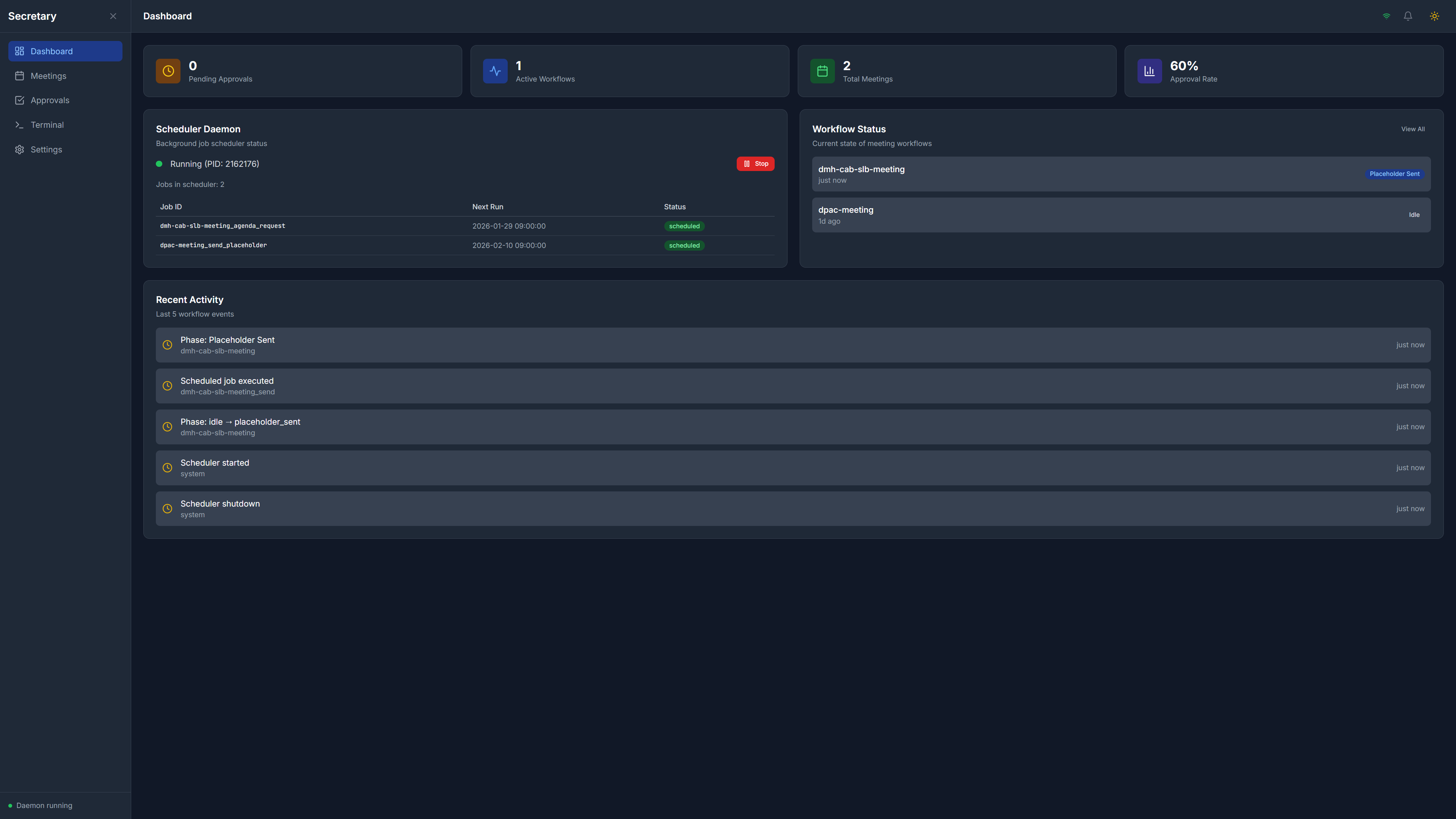
SoloStaff Meeting Secretary Dashboard showing workflow status, scheduler daemon status, and recent activity

Dashboard

Real-time workflow monitoring with scheduler status and activity feed

Click to enlarge
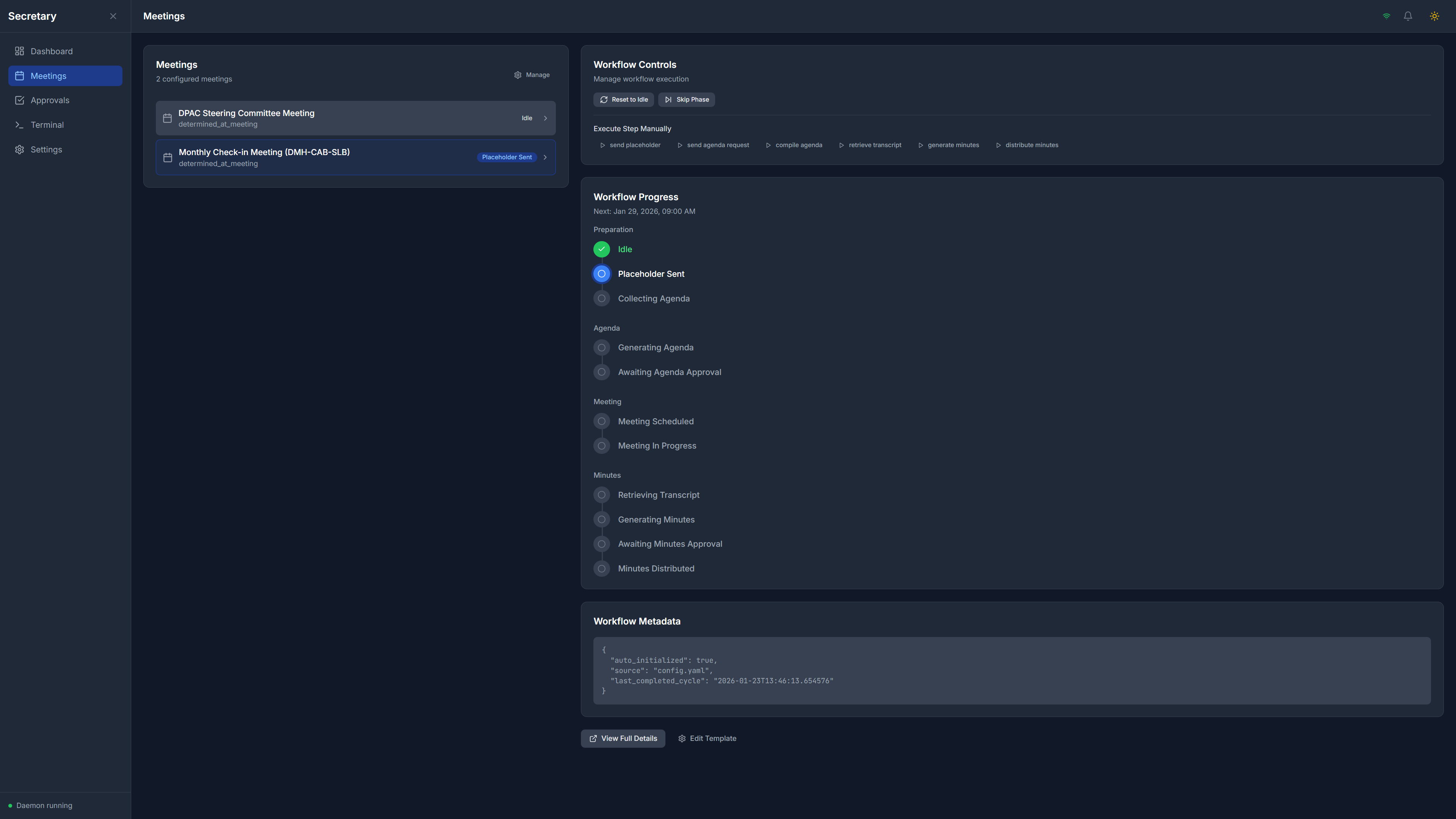
SoloStaff Meeting Secretary Meetings page with workflow controls and progress tracker

Meeting Management

Control workflow phases with visual progress tracking

Click to enlarge
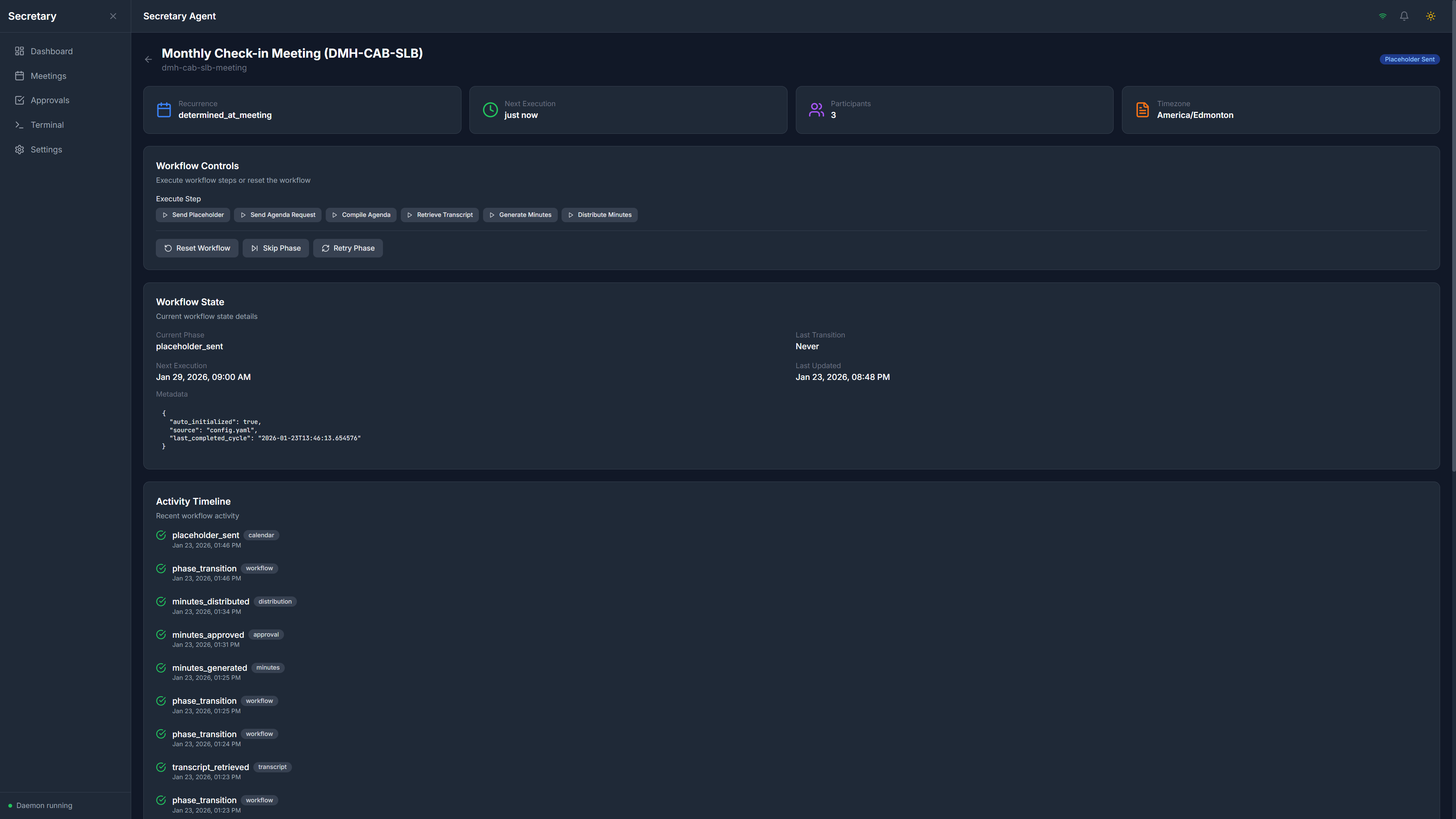
SoloStaff Meeting Secretary Meeting Details page with configuration and participant management

Meeting Details

Detailed configuration with participant list and workflow controls

Click to enlarge
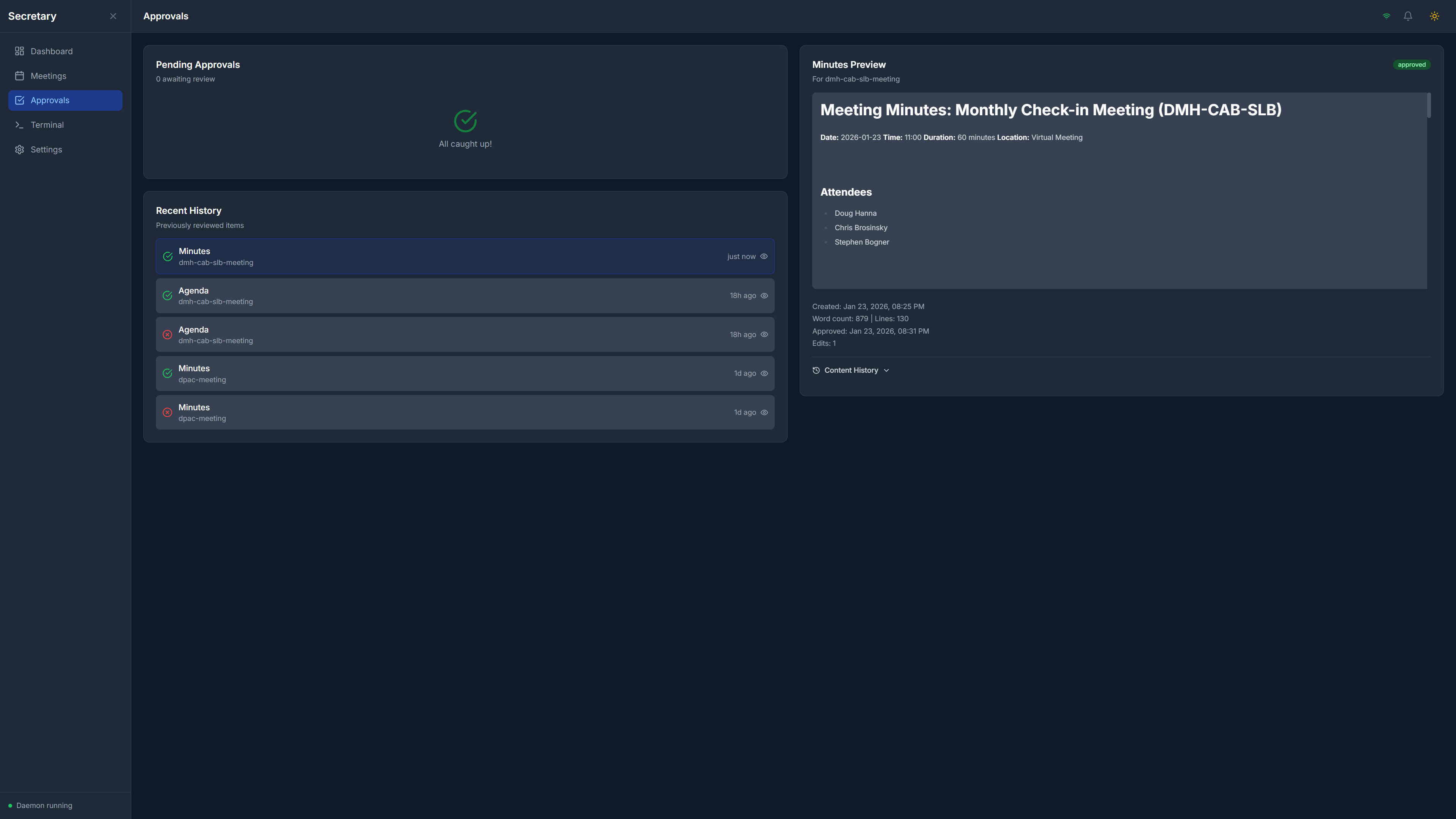
SoloStaff Meeting Secretary Approvals page with pending approvals, preview, and history

Approval Workflow

Review AI-generated content with preview before distribution

Click to enlarge
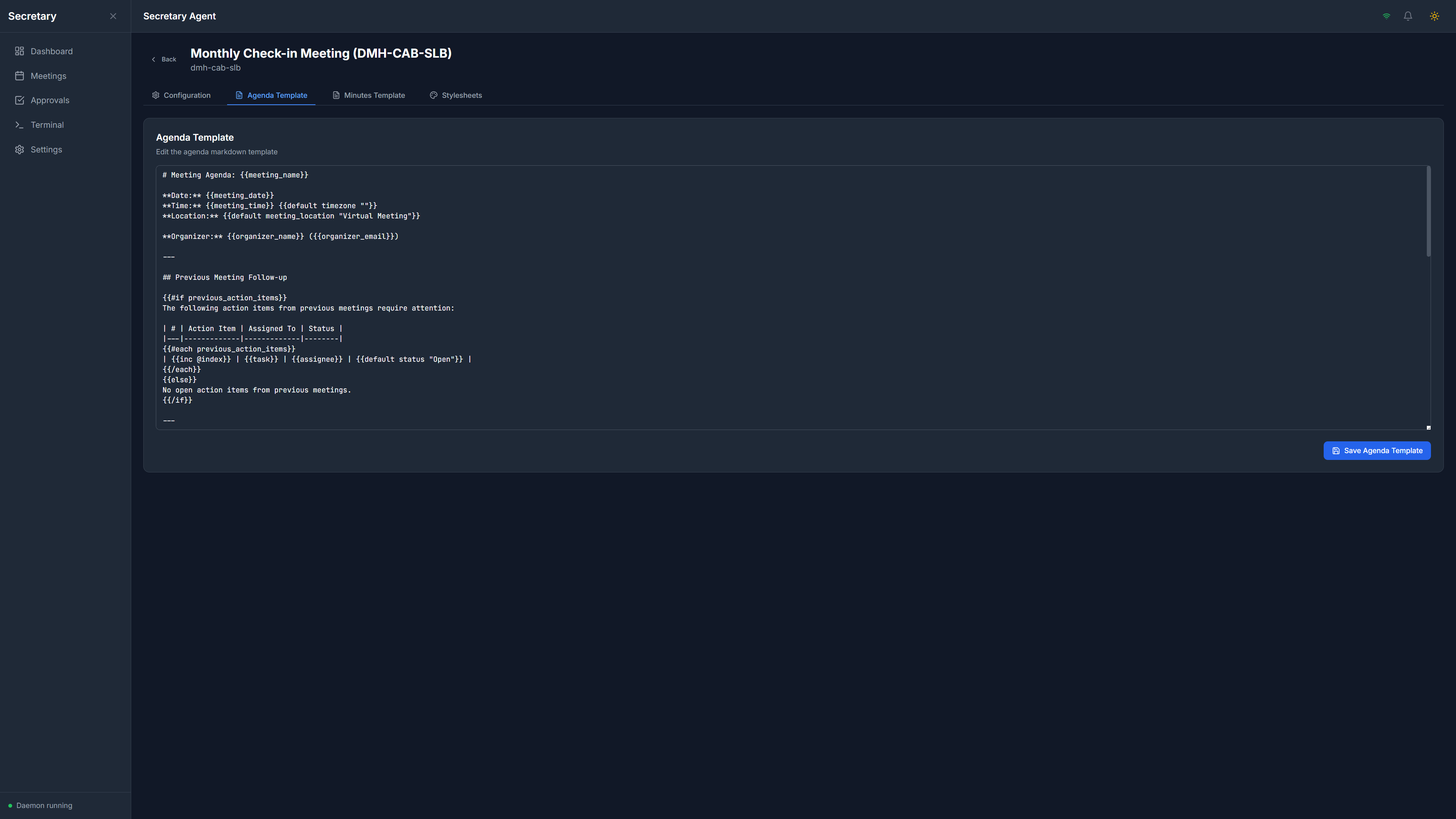
SoloStaff Meeting Secretary Agenda Template configuration

Agenda Templates

Customize AI prompts and email templates for agendas

Click to enlarge
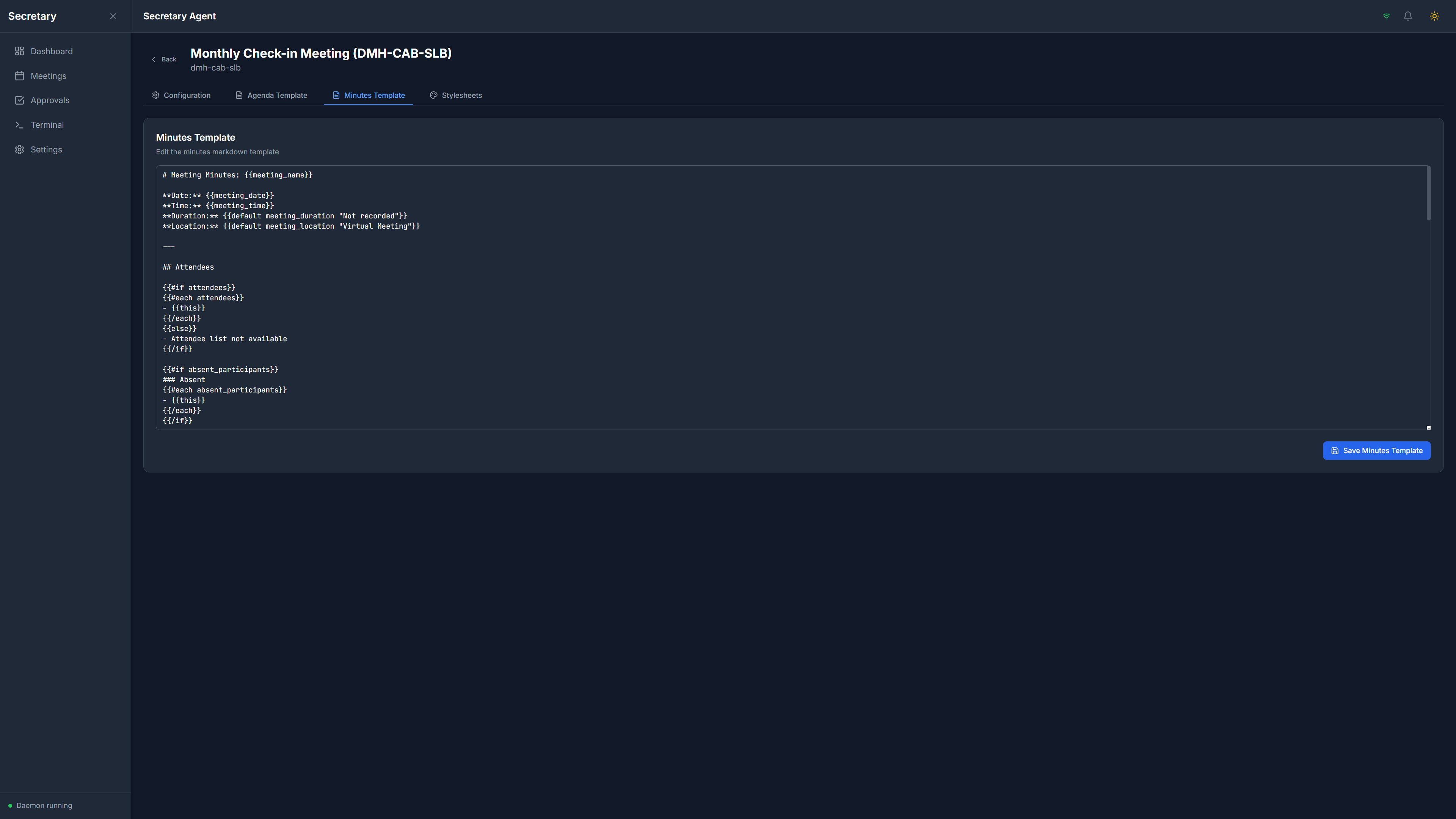
SoloStaff Meeting Secretary Minutes Template configuration

Minutes Templates

Configure AI prompts and styling for minutes generation

Click to enlarge
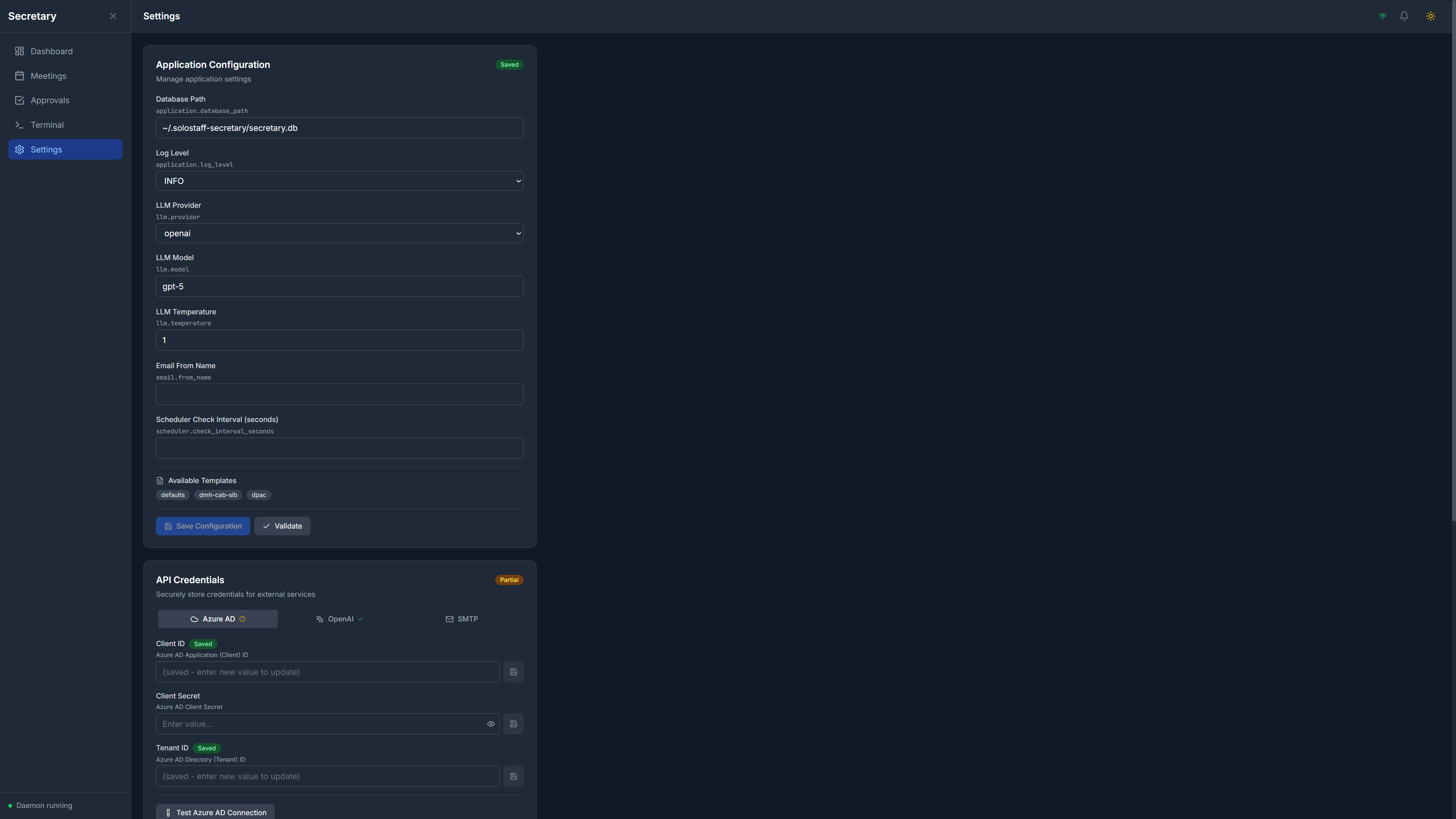
SoloStaff Meeting Secretary Settings page with API credentials and authentication status

Settings

Configure Azure AD, OpenAI, and SMTP credentials with status indicators

Click to enlarge
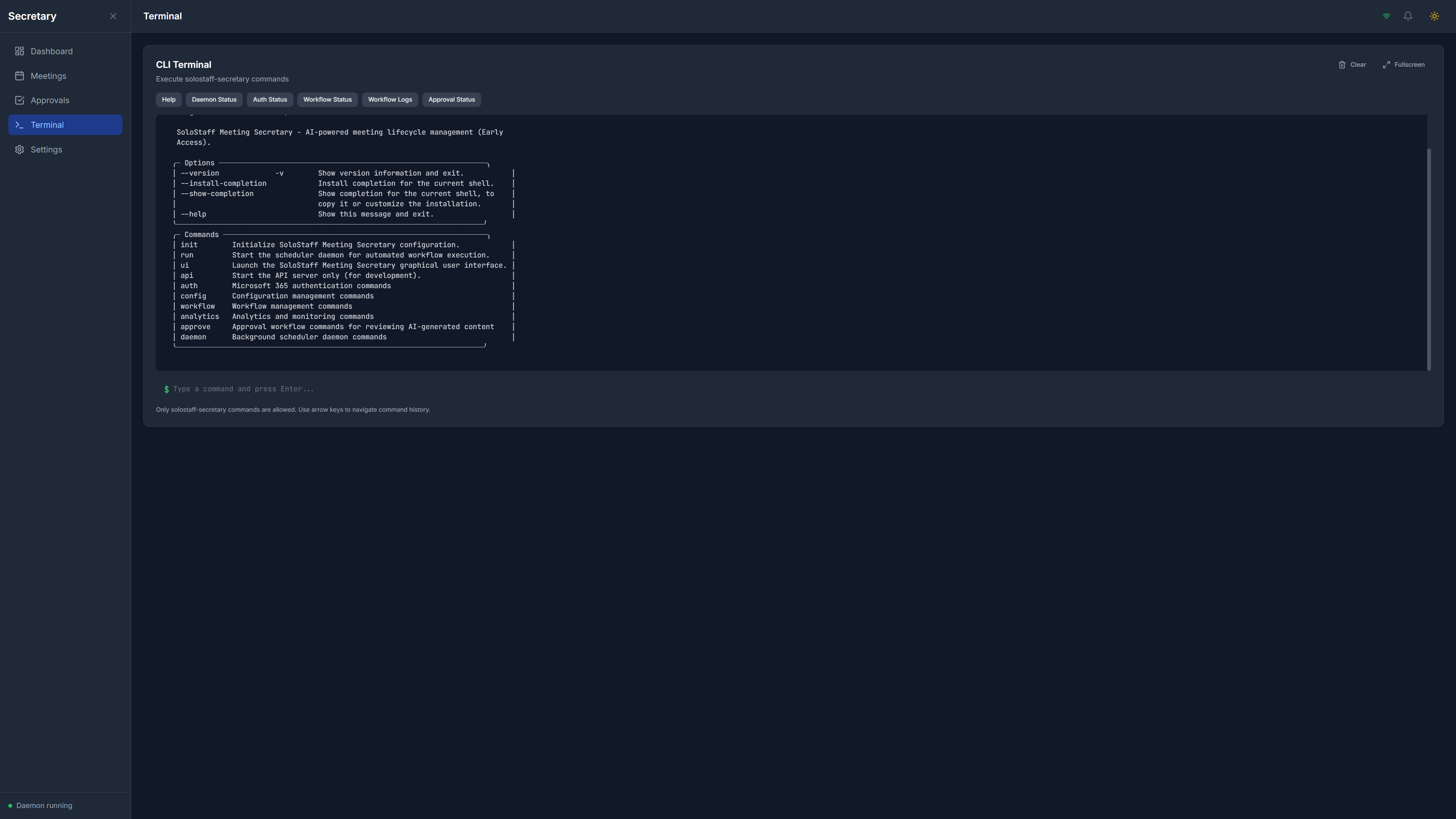
SoloStaff Meeting Secretary Terminal interface with CLI commands and quick actions

Terminal Interface

Full CLI access with quick action buttons for common operations

Click to enlarge

Features That Matter

Everything you need for professional meeting automation

Automated Agenda Collection

Sends agenda request emails to all participants on your schedule. Parses replies automatically and tracks who has responded.

AI-Powered Generation

Uses OpenAI GPT models to compile agenda submissions and generate professional meeting minutes from transcripts.

Microsoft Teams Integration

Automatically creates Teams meetings with recording and transcription enabled. Retrieves transcripts for minutes generation.

Human Approval Workflow

You stay in control. Review and approve AI-generated agendas and minutes before they're distributed to participants.

Automated Scheduling

Configure your meeting schedule once. The system handles all timing for agenda requests, compilation, and distribution.

Customizable Templates

YAML-based email templates let you customize agenda requests, meeting invites, and minutes distribution to match your style.

Web Dashboard

Modern web interface for monitoring workflows, reviewing approvals, and managing settings. No command line required.

Full CLI Access

Complete command-line interface for power users. Run commands, check status, and automate with scripts.

Secure OAuth Authentication

Uses Microsoft's official OAuth 2.0 flow. Your credentials are never stored - only secure refresh tokens.

What Meeting Secretary Doesn't Do

Transparency about scope - so you know if it's right for you

Not Designed For

  • Ad-hoc or one-time meetings
  • Google Workspace or other non-Microsoft platforms
  • Real-time meeting transcription (uses Teams built-in)
  • Multiple concurrent meeting workflows (Phase 3)
  • Calendar auto-detection (configured schedule only)
  • Video editing or meeting highlights
  • Project management or task tracking

Designed For

  • Recurring meetings with consistent participants
  • Microsoft 365 Business/Enterprise environments
  • Teams meetings with recording and transcription
  • Automated agenda collection from participants
  • AI-generated agendas and meeting minutes
  • Human approval before any distribution
  • Same-day minutes delivery after meetings
  • Professional meeting documentation

Bottom line: If you run recurring meetings in Microsoft 365 and want to eliminate the administrative overhead while maintaining professional documentation, this is for you. If you need Google Workspace support or ad-hoc meeting management, look elsewhere.

Requirements

What you need to get started

Microsoft 365

  • Subscription: Business Basic, Standard, Premium, E3, or E5
  • Teams: License included in most plans
  • Azure AD: Ability to register applications
  • Role: Application Administrator for OAuth setup

AI Provider

  • OpenAI: API account with billing enabled
  • Models: GPT-4+ access
  • Typical Cost: $2-10/month for weekly meetings
  • Per Meeting: ~$0.15-0.60 total (agenda + minutes)

System Requirements

  • OS: Windows 10+, Linux, macOS 12+
  • RAM: 4GB minimum, 8GB recommended
  • Storage: 500MB free space
  • Internet: Required for API access

Microsoft 365 Compatibility

Meeting Secretary requires Microsoft 365 with Teams. The application uses Microsoft Graph API for email, calendar, and meeting operations. You'll need to register an Azure AD application during setup - our step-by-step guide walks you through the process.

Early Access Pricing

One-time purchase. No subscriptions. No hidden fees.

SoloStaff Meeting Secretary

$149 $50 USD

Early Access Price (One-time purchase)

  • Full desktop application (Windows, Linux, macOS)
  • Web dashboard and CLI interfaces
  • Microsoft 365 and Teams integration
  • AI-powered agenda and minutes generation
  • Human approval workflow
  • Customizable email templates
  • Free updates in v1.x series
  • Email support included

Ongoing Costs

OpenAI API usage only: typically $2-10/month for weekly meetings

You pay OpenAI directly. We don't mark up or resell API access.

Get Started Today

Return on Investment

Meeting admin time saved 2-4 hrs/meeting
Weekly meetings per month 4 meetings
At $50/hour value $400-800/month
Pays for itself in 1 meeting

Plus improved meeting documentation and accountability

Early Access Program

Get a fully functional product today at a significant discount

v0.7.1-alpha Early Access

What is Early Access?

Early Access means you're purchasing a fully functional product that is still being actively improved. The core features are complete and tested, but the product hasn't yet reached version 1.0. In exchange for being an early adopter, you get a significant discount off the eventual release price.

Why the Discount?

Early Access customers help validate the product in real-world use. Your feedback shapes priorities for future development, and you may encounter occasional rough edges as new features are added. The discount reflects this partnership - you get a great price, and we get valuable input to make the product better for everyone.

What's Fully Functional Now

  • Full desktop application for Windows, macOS, and Linux
  • Web dashboard with workflow monitoring and approval interface
  • Automated agenda collection via email
  • AI-powered agenda generation with OpenAI GPT
  • Microsoft Teams meeting creation with recording
  • Transcript retrieval from Teams recordings
  • AI-powered minutes generation
  • Human approval workflow for all distributions
  • Customizable YAML email templates
  • Complete CLI interface

Planned for Future Updates

  • Multiple concurrent meeting workflows
  • Calendar integration for auto-detecting meetings
  • Advanced analytics dashboard
  • Custom workflow phases

Early Access Benefits

  • 66% discount: $50 USD now vs. $149 at full release
  • Lifetime v1.x updates: All improvements included at no extra cost
  • Priority support: Direct email support with faster response times
  • Influence development: Your feedback helps prioritize new features

Get Early Access

Ready to automate your meeting workflow? Get Early Access pricing at $50 USD.

Contact Information

If you're running recurring meetings in Microsoft 365 and tired of the administrative overhead, SoloStaff Meeting Secretary is available now at Early Access pricing. Get automated agenda collection, AI-generated minutes, and professional meeting documentation - all for $50 USD (regular price $149).

Availability

Early Access - available now with special pricing